
Breadcrumbs
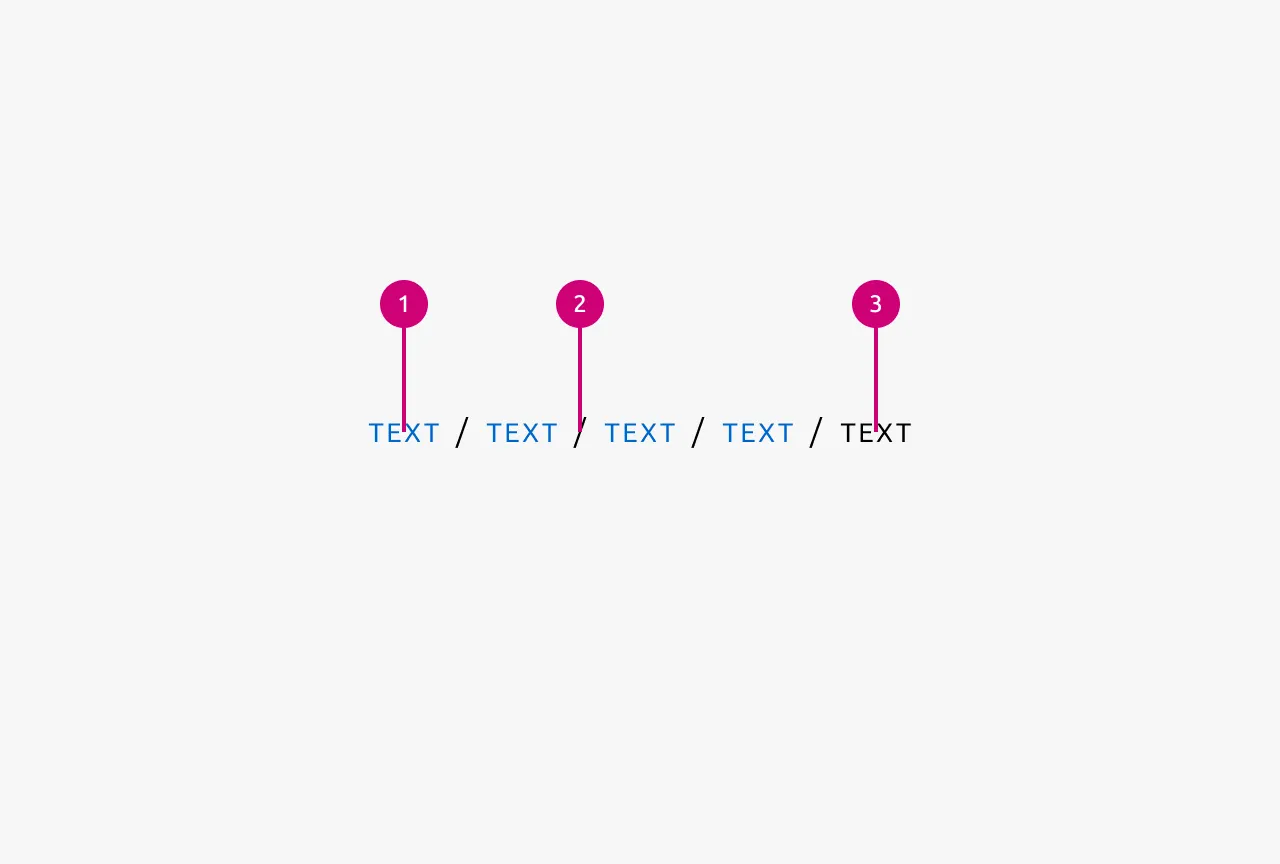
Breadcrumbs are a navigational aid that shows users their current location within a site's information hierarchy. They provide a clear path from the root of the information hierarchy (IA) to the current page, allowing users to quickly understand where they are and easily navigate back to previous levels in the IA. Breadcrumbs should reflect the IA, not the user's path they took to arrive at the current page. They work best in websites or applications with multiple levels of hierarchy and are particularly useful when users might arrive at deep pages through Search or Links.



Anatomy
Usage
Breadcrumbs are used to represent the hierarchical structure of content within an application or website, helping users understand where they are in the information architecture (IA). They provide a visual trail of the user's current location and offer quick navigation to other levels in the IA.
Breadcrumbs reflect the site's structure, not the path a user took to arrive at the current page. They show where you are in the hierarchy, not how you got there.
They are most effective in applications or websites with substantial content organized hierarchically across two or more levels. The more complex your information architecture, the more valuable breadcrumbs become for helping users maintain context and navigate efficiently.
When to use
- In applications or websites with multiple levels of hierarchical content structure
- To help users understand their current location within a deep information architecture
- To provide quick navigation back to higher levels in the IA
- When the relationship between pages follows a clear parent-child hierarchy
- As a secondary navigation aid to complement your primary Navigation
When not to use
- On websites or applications with only a single level of hierarchy
- On the root of your site or app (as there are no higher levels to navigate to)
- As a replacement for primary Navigation. Breadcrumbs are always secondary and should enrich, not replace, your main Navigation
- To track a user's browsing history or the path they took through your application
- As a progress indicator for multi-step processes
Properties
| Name | Type | Required | Description | Constraint | Options | Default option |
|---|---|---|---|---|---|---|
| Path | object | Yes | The path in the Information architecture that leads to the current page. | - | - | - |
Change log
| Who | When | What |
|---|---|---|
| Maximilian Blazek | 21.11.2025 | Initial commit |
| Maximilian Blazek | 13.02.2026 | Added links |
| Maximilian Blazek | 01.12.2025 | Added description, anatomy descriptions, usage guidelines and properties. |
Decision log
| Where | Decision made | Link |
|---|---|---|
| App mafia | We should use breadcrumbs to only show information hierarchy (and not to show a users flow i.e. their path navigating through the app). | View |