
Pagination
Pagination is a navigational component that allows users to move between pages of content. It provides controls for navigating to the previous or next page, as well as optionally jumping directly to a specific numbered page. This component is best suited for content-heavy sites where information is divided across multiple pages, such as blog posts, articles, tutorials, or Search results. For paginating tabular data, use the Table pagination component instead.


Anatomy
Usage
Pagination is a navigational component that allows users to move between pages of content. It provides controls for navigating to the previous or next page, as well as optionally jumping directly to a specific numbered page. This component is best suited for content-heavy sites where information is divided across multiple pages, such as blog posts, articles, tutorials, or Search results.
When to use
- Content is divided across multiple pages and requires navigation controls
- Users may need to jump to a specific page within the content
- Users are likely to return to a previously visited page
- The total number of items or pages is known and finite
- Content consumption benefits from clear boundaries between pages
When not to use
- Paginating tabular data; use the Table pagination component instead
- Guided flows or multi-step processes; use step navigation (“Back” and “Next” buttons) instead
- Exploratory interfaces where users browse without a specific target; consider infinite scrolling
- Single-page content that does not require division
Page number display behavior
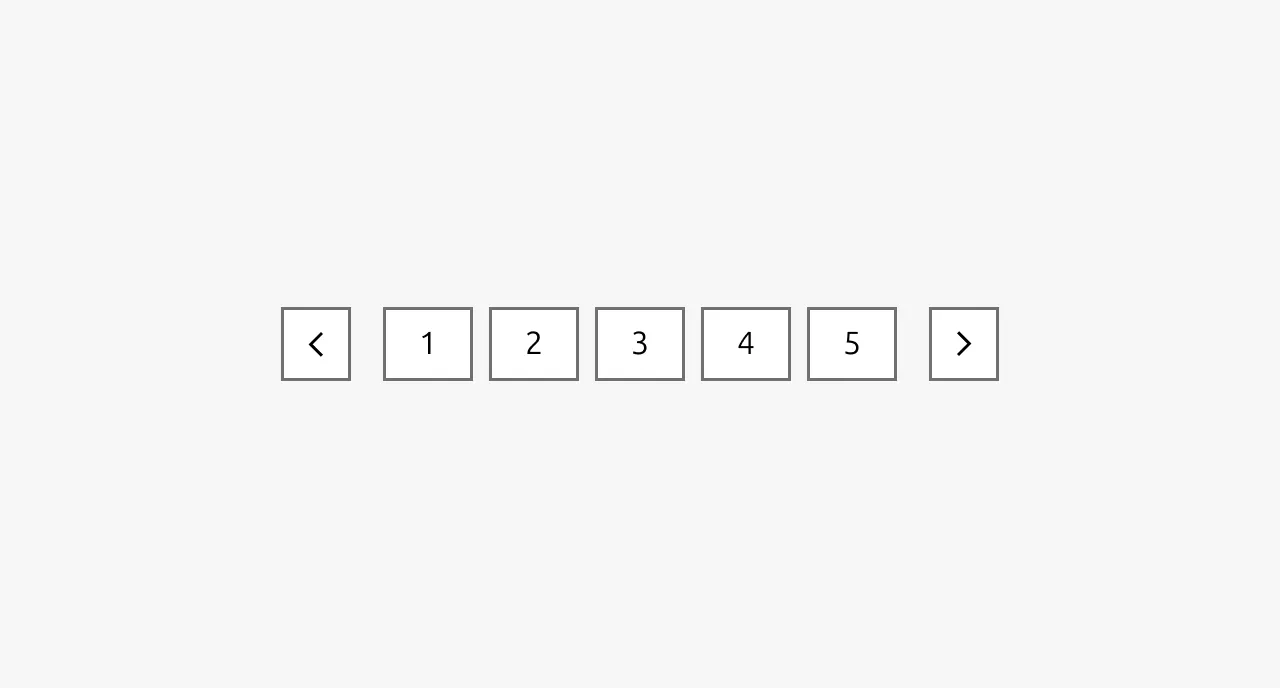
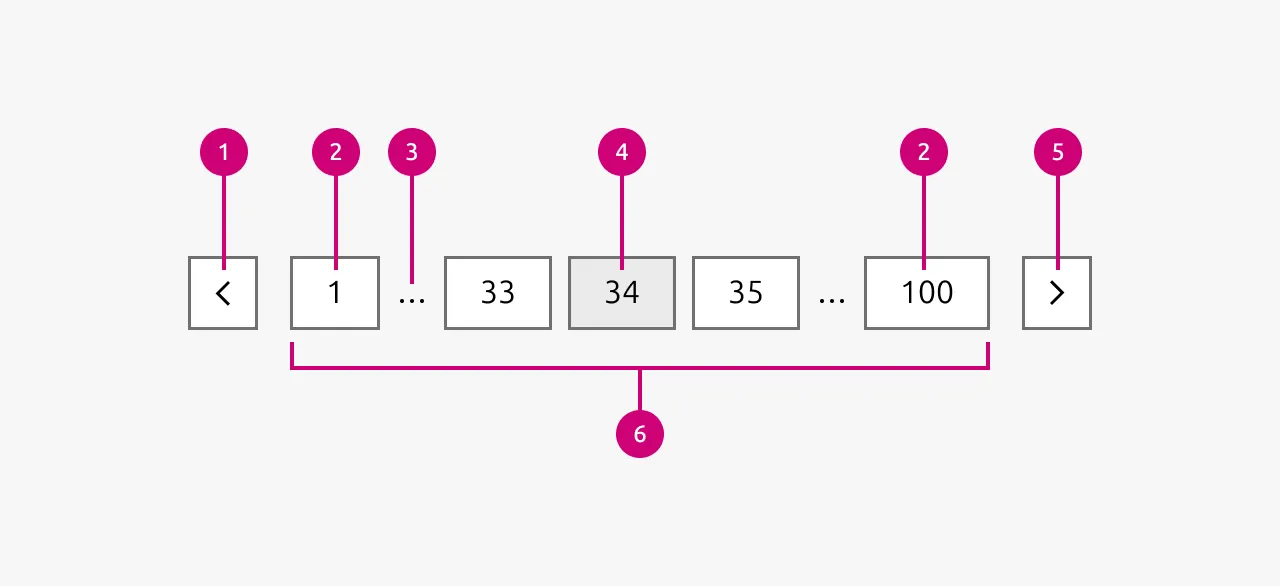
The pagination component adapts based on the total number of pages. When there are five or fewer pages, all page numbers are displayed, allowing users to access any page directly. When the page count exceeds five, the component truncates the page numbers to maintain a compact footprint. In the truncated state, the first and last pages are always visible, with an ellipsis indicating omitted pages. The three page numbers displayed in the middle section are centered around the currently active page, ensuring the user always has context for their current position within the content.
Navigation-only variant
In some cases, displaying page numbers may not be necessary or practical. The pagination component can be configured to show only the previous and next navigation buttons without page numbers. This variant is appropriate when the total page count is unknown, such as with keyset pagination, or when space constraints require a more compact interface. It is also suitable in scenarios where users are expected to browse content sequentially rather than jump to specific pages, and where there is no expectation that users will need to return to a previously visited page.
Placement
Position the pagination component at the bottom right of the page or section containing the paginated content. This placement aligns with conventional reading patterns and provides a consistent location for users to find navigation controls after consuming content.
Pagination vs step navigation
Pagination and step navigation buttons serve distinct purposes. Step navigation, typically labeled as "Next" and "Back," is intended for guided flows such as wizards, multi-step forms, or onboarding sequences where users progress through a defined series of steps. Pagination, by contrast, is designed for browsing discrete pages of content where users may navigate non-sequentially and revisit previous pages.
Pagination vs infinite scrolling
Choose between pagination and infinite scrolling based on expected user behavior. Infinite scrolling is more appropriate when users are exploring content without a specific target in mind, as it encourages continued engagement by automatically loading additional items. Pagination is preferable when users are searching for a specific item and may want to target a particular page where they expect to find it. Pagination also supports scenarios where users need to return to a previously identified item, as page numbers provide a reliable reference point.
Properties
| Name | Type | Required | Description | Constraint | Options | Default option |
|---|---|---|---|---|---|---|
| Show/hide numbered pages | boolean | No | To show or hide the numbered pages | - | Show, hide | Show |
| Pages data | object | Yes | The data of the pages that should be paginated | - | - | - |
Change log
| Who | When | What |
|---|---|---|
| Maximilian Blazek | 21.11.2025 | Initial commit |
| Maximilian Blazek | 13.02.2026 | Added links |
| Daniel Mutis | 05.01.2026 | Write description, anatomy, usage guidelines and properties |